
AEJuice transitions carry a media placeholder inside them. Instead of rebuilding the transition when your footage changes, the AEJuice Pack Manager panel refreshes that placeholder for you in one click.
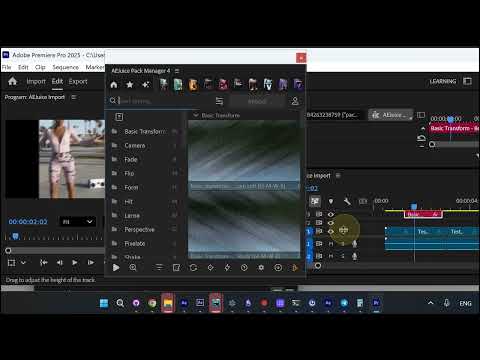
1. Hit update on your transition
With a transition (here a Basic Transform) already on your timeline, run update from the AEJuice Pack Manager panel to refresh its media placeholder.
2. The footage swaps in
The transition instantly picks up the footage sitting on the track underneath it, and the Program monitor refreshes right away.
Select a single track item to update just that transition. Select nothing and Pack Manager finds every transition on the timeline and updates them all at once — just note that more clips means a longer wait.
This applies to MOGRT transitions only
Native transitions do not need any of this - they update automatically when your footage changes. Native transitions are available in Seamless Transitions now.