
Split Screen AI in AEJuice Pack Manager builds a split screen composition from your video and a background gameplay clip, with captions generated for you.
1. Set the caption options
Open the dialog and set what the captions should look like:
- Language: Auto
- Grouping: Word by word
- Capitalization: ALL CAPS
Brand, Output and Advanced hold the rest of the settings.
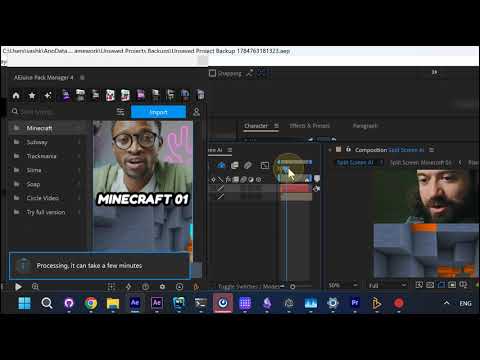
2. Pick a gameplay category and import
Choose a background category from the list — Minecraft, Subway, Trackmania, Slime, Soap, Circle Video — then hit Import. A “Processing, it can take a few minutes” notice appears while it works.
3. The composition is built
Your video and the gameplay clip end up in one finished Split Screen composition, ready to preview on the timeline.