
AEJuice Pack Manager gives you two ways to bring an asset
into After Effects — and choosing the right one saves you time. Import the editable project when you
need to customize, or import a pre-rendered video when you just need it to render fast.
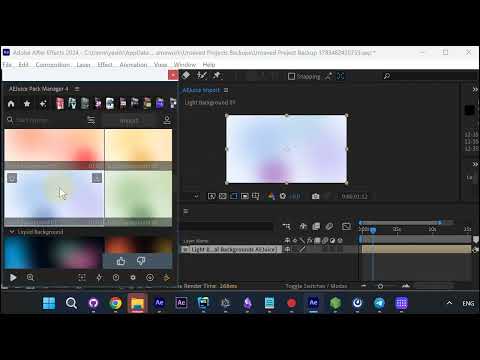
Import the project to customize
Import the project and you get the full, editable version — customize the colors and animations
yourself. Open its edit dialog and, under Colors, recolor the background’s washes to match your scene.
Or import as video for a faster render
Don’t need to customize? Right-click the asset and choose Import as video (no alpha) to bring in a
pre-rendered clip instead of the full project.
Pick your resolution
Choose the resolution you need — 4K, Full HD, HD, or SD — each showing its file size so
you can balance quality against weight.
It lands on your timeline, ready to render
The pre-rendered mp4 drops straight onto your timeline. Because it’s already a flat video, it renders
far faster than the editable project.
Get it
Both import modes live in AEJuice Pack Manager.