
Auto Captions detects the spoken language automatically, but you can lock it to a specific language for better accuracy. Here’s when to use Auto and when to pick a language manually.
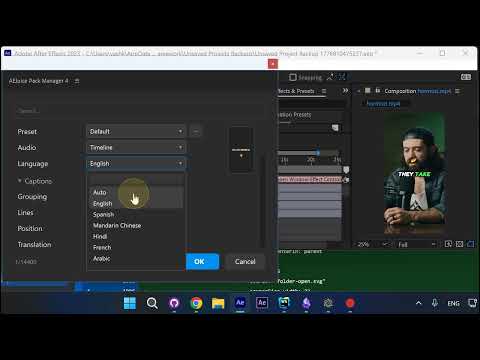
Open the Language Dropdown
In the Auto Captions panel, click the Language dropdown. By default it’s set to Auto, which means the plugin will figure out the language from your audio.
Pick a Specific Language
If you already know the language of your video — for example, English — select it from the list. This gives the transcription engine a head start and usually improves accuracy on tricky words and names.
Leave It on Auto for Mixed Audio
If your video has multiple languages or switches between them, stick with Auto. Most of the time the language will be detected correctly without any manual input.
Rule of Thumb
- One clear language: pick it manually for the best accuracy
- Multiple or mixed languages: leave on Auto
- Multilingual video with a dominant language: pick your primary language
Try It Yourself
Auto Captions handles the detection for you, but a quick manual pick can sharpen results when you know what you’re working with.
Get Auto Captions for After Effects →
Also part of Pack Manager: Pack Manager - AEJuice