
What if you could completely change a motion graphics template — text, images, theme — just by typing a sentence? AEJuice’s AI Import feature does exactly that, and it takes seconds.
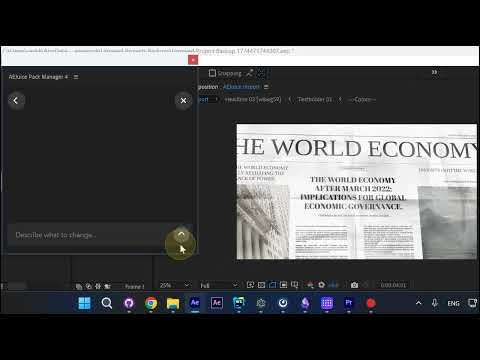
Step 1: Open AEJuice Pack Manager and Press Edit
Open your project in After Effects. In the AEJuice Pack Manager panel, find the template you want to customize and press Edit.
Step 2: Describe What You Want to Change
A text field appears. Type your request — for example, “swap content to make it about puppies” — and press Enter. The AI processes your request automatically.
Step 3: Review the Results
On the left, you’ll see a summary of all changes made. On the right, the composition updates in real time — titles are rewritten and images are swapped with relevant ones.
Step 4: Fine-Tune Manually
If you want to adjust anything, go back and make manual edits. Every change is non-destructive, so you can keep iterating until it’s perfect.
Conclusion
AEJuice’s AI-powered Import feature turns hours of manual template customization into a single typed sentence. Just describe what you want, and the AI handles text, images, and layout automatically.