
Create animated ransom note text in seconds with AEJuice’s Ransom Letters pack. Pick a letter style, type your text, done.
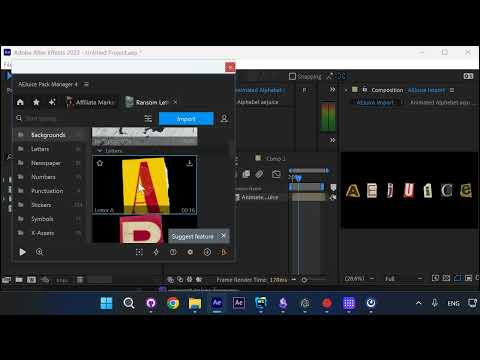
Step 1: Open Ransom Letters Package
Search for “ransom” in Pack Manager and open the Ransom Letters package.
Step 2: Import Any Letter
Browse the categories — Letters, Backgrounds, Newspaper, Stickers, and more. Click Import on any letter you like.
Step 3: Enter Your Text and Press OK
A dialog appears — type your word or phrase and press OK. The animation is generated automatically with each letter in a different style.
Result
Each letter appears with its own font, size, angle, and animation — just like a real ransom note.
Conclusion
Three clicks and your ransom note animation is ready. No keyframing needed.