
If you ever had to make ten lower thirds in a row, you know how slow it gets. Here is how to batch them in After Effects in seconds, with names, professions, and even timestamps from a single paste.
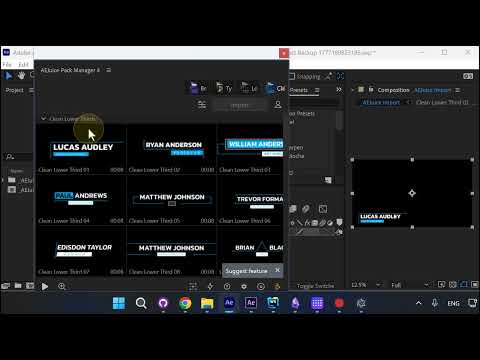
Open the Batch Lower Thirds Window
Click the batch icon next to your lower third template. You can paste your client’s email, chat, or any unstructured list. AI parses it for you, with or without timestamps.
Without Timestamps: One Comp per Person
Paste names without times and the plugin creates a separate composition for each person. Every comp is named with the person and profession, ready for review.
Each lower third is placed in the bottom-left corner and runs seven seconds without animation, so you can drop it straight into your edit.
With Timestamps: All in One Comp
If your client sent timestamps, paste them too. Format does not matter, AI detects it.
The plugin places every lower third on the same composition at the times you provided.
Other Ways to Open the Batch Window
You can also open the batch window from Edit, by clicking Need More Than One. Same window, same workflow.
You can enter names one by one, or just drag and drop a CSV or TXT file. It will parse it.
Why This Helps
If you do a lot of lower thirds, this is a real lifesaver. Fifty, a hundred, or more at a time, with no manual setup per person.
Try it free with AEJuice Pack Manager: aejuice.com/free-plugins