
The AEJuice Pack Manager interface is fully translated into nine languages, so you can browse, search, and import assets in the language you actually work in.
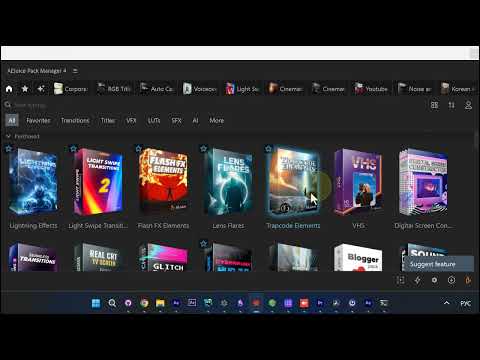
Automatic language detection
By default, Pack Manager matches After Effects. If your After Effects runs in Russian, Japanese, or German, the panel follows along with no setup. The whole interface, every category and menu, appears in your language the moment you open it.
Switch the language manually
If detection doesn’t land on the language you want, you set it yourself:
- Open Pack Manager Settings.
- Find the Language dropdown.
- Pick from the list: English, Русский, 日本語, Deutsche, Español, Français, Italiano, 한국어, or 繁體中文. There’s also a Same as Adobe After Effects option to go back to auto-detect.
- Restart the panel to apply.
After the restart, the entire Pack Manager UI switches over: the tabs, the category filters, the search field, and the asset labels all read in your chosen language.
Why it matters
A localized interface means less guessing over English menu labels and faster navigation of a large asset library. Whether you edit in Tokyo, Berlin, or Moscow, Pack Manager fits your workflow instead of forcing English on it.
Get Pack Manager and work in your language.