
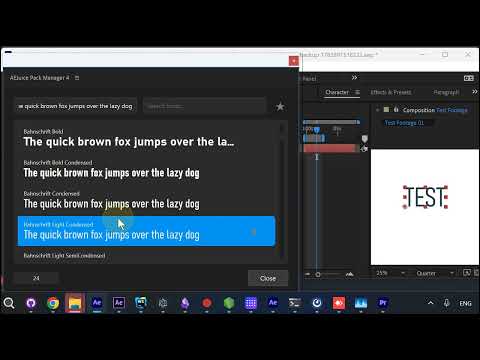
The Font Previewer in Pack Manager 4 got a round of fixes based on your feedback. It lives under the Text menu (the star icon at the top of Pack Manager), and it lets you browse every installed font live on your text layers.
What’s new
- Your layer size is left alone. Previewing at a large size no longer changes the font size of your selected text. The preview size is now display-only, so you can browse big without touching your layer.
- Fonts actually apply now. Some fonts (especially Adobe fonts like Adobe Caslon Pro) looked applied but silently fell back to a substitute. The Previewer now verifies the font really loaded and resolves the correct internal name. If a weight genuinely isn’t installed, it keeps your original font instead of swapping to something else.
- Live keyboard browsing. Scroll the list with the Up/Down arrow keys and watch your on-screen text update as you go. Clicking a font applies it and keeps the window open so you can keep browsing.
How to get it
Open Pack Manager and press Shift+D to pull the latest update, then open the Font Previewer and try the arrow keys.
Found something off? Reply here with your OS, After Effects version, and a short screen recording if you can - it helps us reproduce and fix fast.
Get Pack Manager 4: Pack Manager - AEJuice